 Yatri Studio
Smart Edit
Add your takes in any order. The editor listens and arranges them into a story.
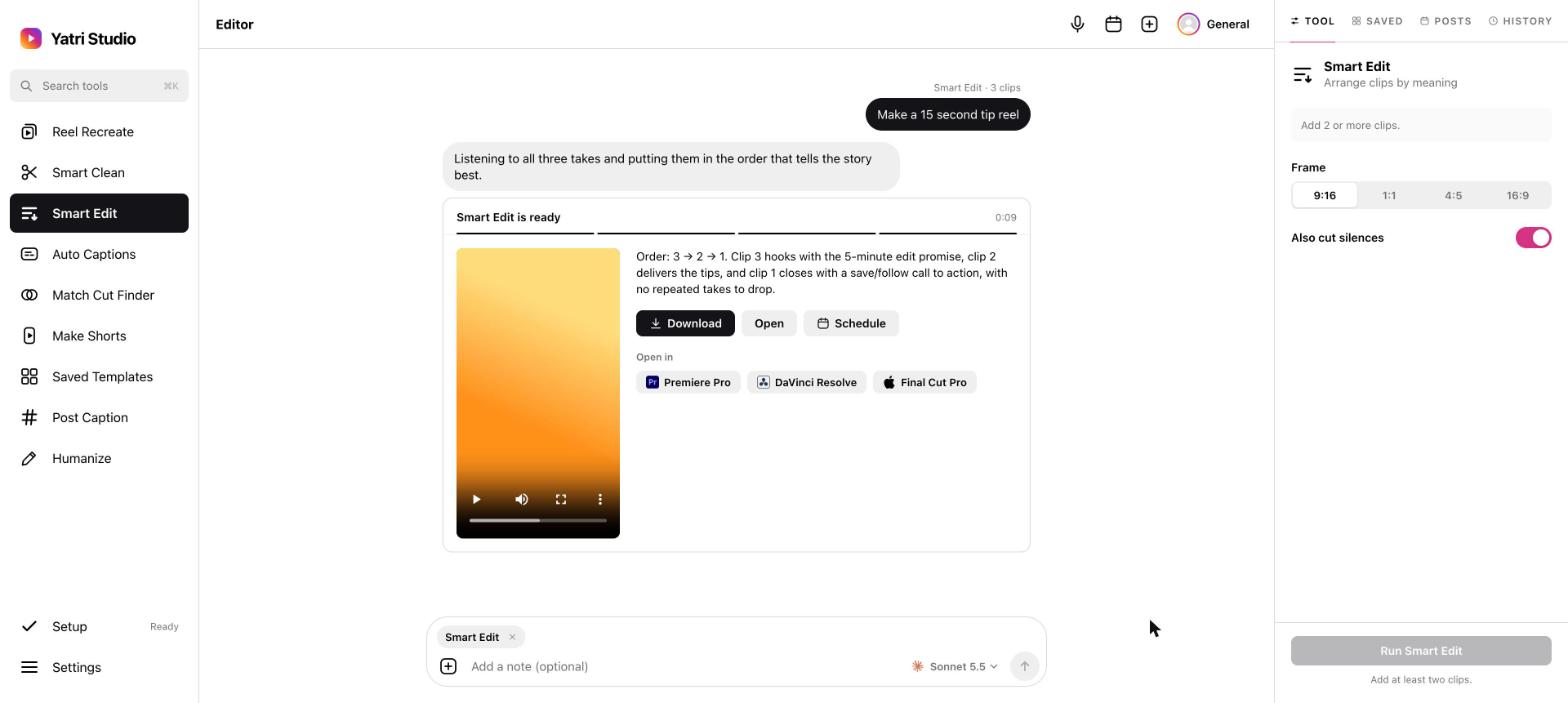
Smart Edit transcribes every clip, reads what you said, and puts the clips in the order that works best: hook first, then the point, then the call to action. If you recorded the same line twice, it keeps the better take and drops the other.
Try it
- Add two or more clips, in any order.
- Type
/arrange, or ask "put these in the best order". - Add a goal if you have one, for example
Make a 15 second tip reel. - Press Run.
Example
Three takes were added backwards: the call to action first, the intro last. Smart Edit put them back as intro, tips, then call to action, and cut the pauses as well.
Settings
| Setting | What it does |
|---|---|
| Frame | Output shape |
| Also cut silences | Runs Smart Clean on each clip before joining. On by default |
Get the best result
- One idea per clip works best. The model can only move whole clips around.
- Say the hook clearly in one take. That's the one it will put first.
- Write a goal. "15 seconds, for beginners" gives the model something to aim at.
- Opus handles long, messy shoots better than Sonnet or local models.