 Yatri Studio
Reel Recreate
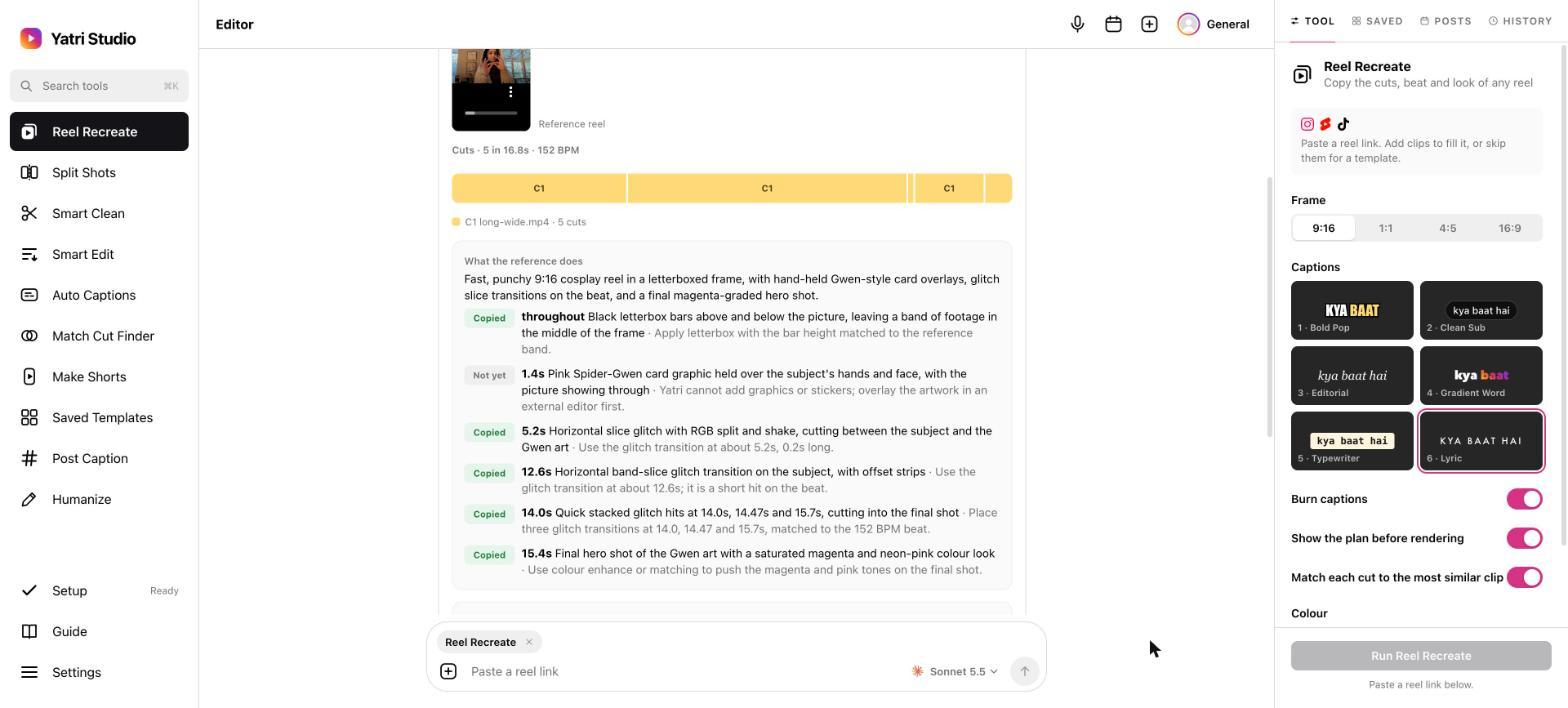
Give it a reference reel and your clips. It copies the edit, shows you the plan, and renders your version with the editor project alongside.
What it reads from the reference
Cuts, to the frame
Every frame is compared with the one before it. Cuts as short as 2 frames are caught, so fast trend edits keep their rhythm.
Beat and tempo
It finds the tempo and beat grid of the audio. Cuts keep the reference's exact frames, because the reel was already cut to its music.
Colour and framing
Brightness, contrast and colour are measured and applied to your clips. Black bars and sideways framing are kept. If your clips already match, their colour is left alone.
Transitions
Glitch slices, flashes and letterbox moves are replayed at the same moments in your version.
On-screen text and its font
Text is read from the frames and matched against about 680 font families, including about 280 free Google Fonts, with its colour and outline.
Speech and lyrics
Any voice or lyrics are transcribed so they can become word-timed captions in your version.
A real reel, 47 shots in 9.4 seconds
This beach reel cuts between the ocean and the creator every 6 frames, filmed sideways for a tilt-your-phone trend. Yatri Studio found all 47 shots at their exact frames and copied the timing, beat and colour.
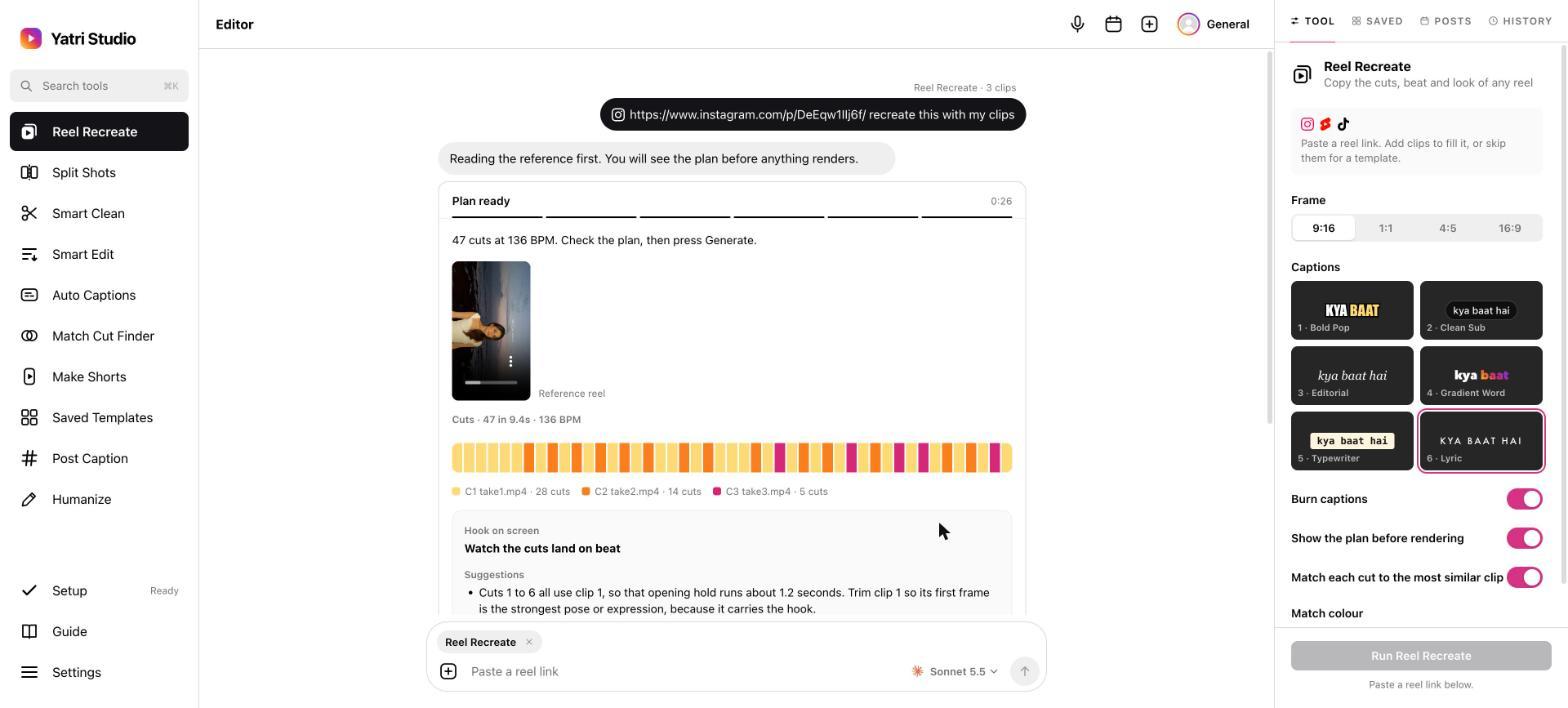
Footage: @nishthamenariaaa and @shreyapabalkar, used with permission.
You approve the plan before it renders
The plan draws every cut to length and colours it by the clip that fills it. Tap a cut to cycle through your clips. Rewrite the copied text, or clear it to leave it out. The plan also suggests a hook, a caption and a time to post.
- Match each cut to the most similar clip. On by default. It compares every cut with every moment in your clips by layout and colour.
- Your font, or theirs. Keep the matched font, or pick any of about 430 caption fonts.
- Song as a guide. The reference audio comes as a timing track. Add the same sound inside Instagram before you post.
What it can't copy
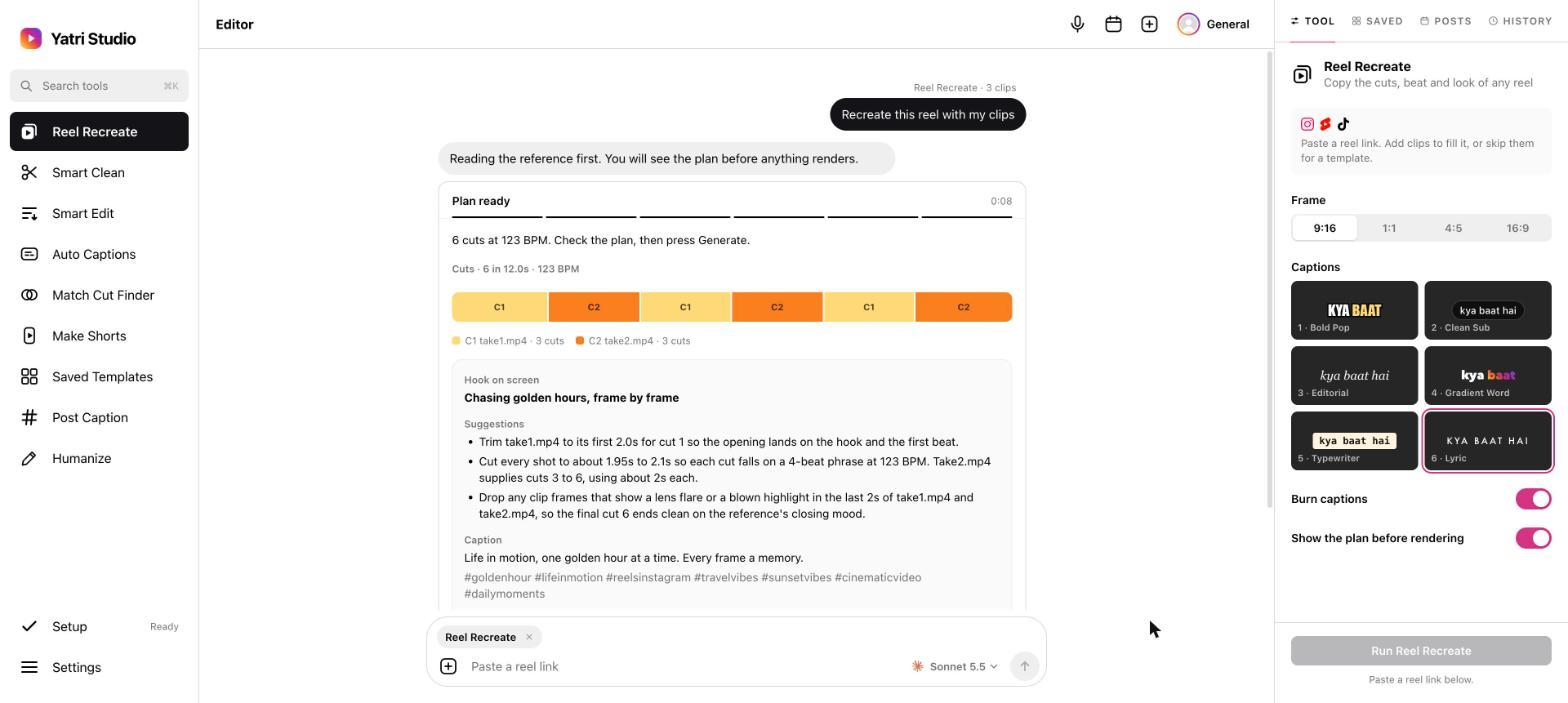
Graphics that are part of the creator's own footage, such as a hand-drawn card held up to the camera, can't be lifted out. The breakdown marks those as "Not yet" so you know before you render. Glitch slices can register as a cut at each edge, so check the cut strip before pressing Generate.