 Yatri Studio
Smart Clean
Cut every pause out of your takes and join them into one tight video.
Smart Clean listens to your clips, finds every stretch of silence, cuts it out and joins what's left. It's the fastest way to turn rambling takes into something watchable.
Try it
- Add one or more clips.
- Type
/clean, or ask "remove the pauses". - Press Run.
Before and after
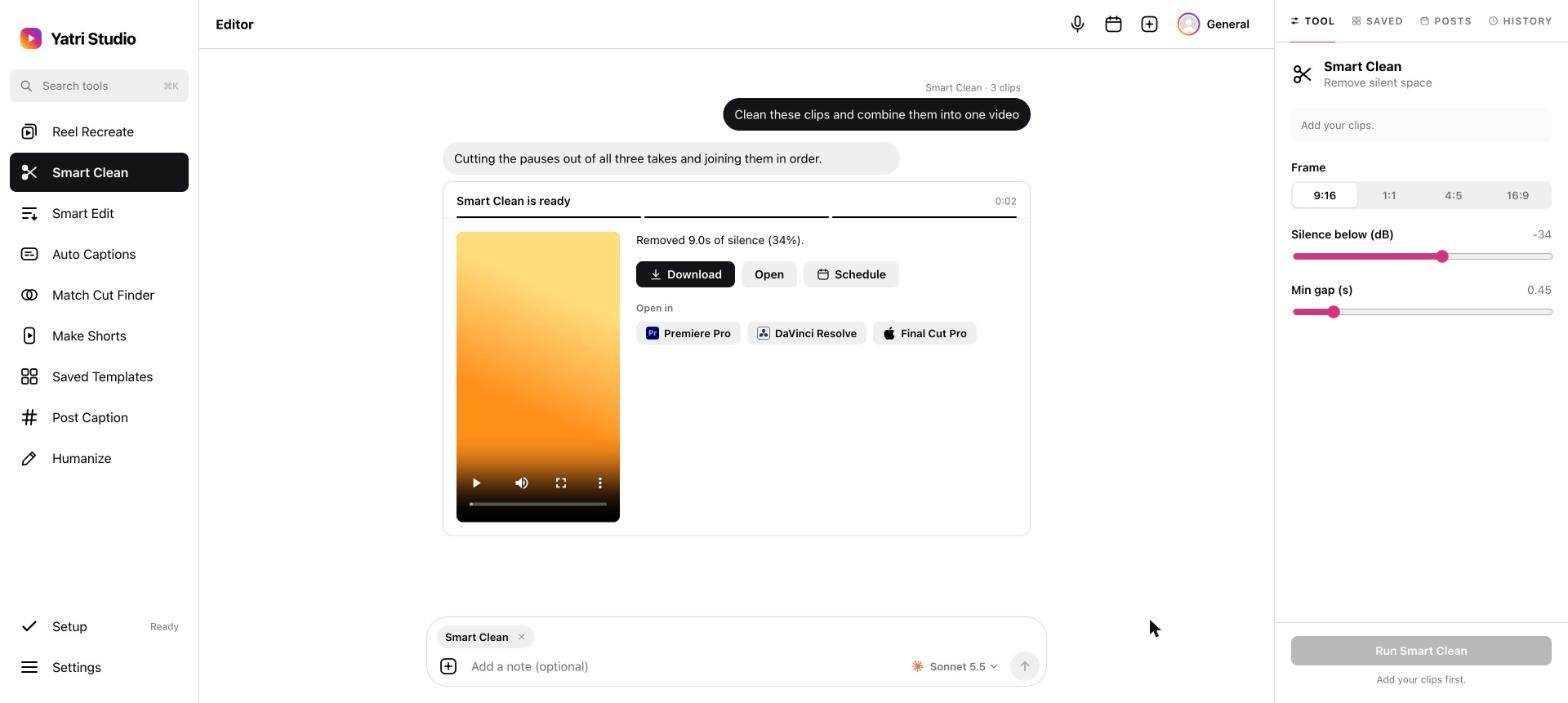
Three takes adding up to 26.5 seconds came out at 17.5 seconds: 9 seconds (34%) of dead air gone.
Settings
| Setting | What it does | When to change it |
|---|---|---|
| Frame | Output shape: 9:16, 1:1, 4:5 or 16:9 | Pick 9:16 for reels |
| Silence below (dB) | How quiet a moment has to be to count as silence. Default −34 | Noisy room? Raise it to −28 so hum counts as silence |
| Min gap (s) | The shortest pause that gets cut. Default 0.45s | Lower it to 0.3 for a faster, punchier edit. Raise it if words get clipped |
A small amount of padding stays on each side of every cut, so words don't start or end abruptly.
Get the best result
- Record each take in one go, and leave a clear pause before you restart a line. Clean pauses are easy to find.
- Use a lapel mic. Background music or a fan makes silence harder to find.
- Clips are joined in the order you added them. To let the editor choose the order, use Smart Edit.